
NsTest. 처음봤다.
사실 테스트 코드를 적은지도 얼마 되지 않았지만,
테스트 하는 AssertJ나 JUnit5를 공부하려는 참에 우테코에서 제공하는 NsTest가 무엇인지 먼저 알고 들어가야 할 것 같아서 먼저 정리하려고 한다.
1. 코드

우테코에서 제공하는 라이브러리 들이다. 이 중에서 이 포스트에는 NsTest만 정리 할 예정이다.
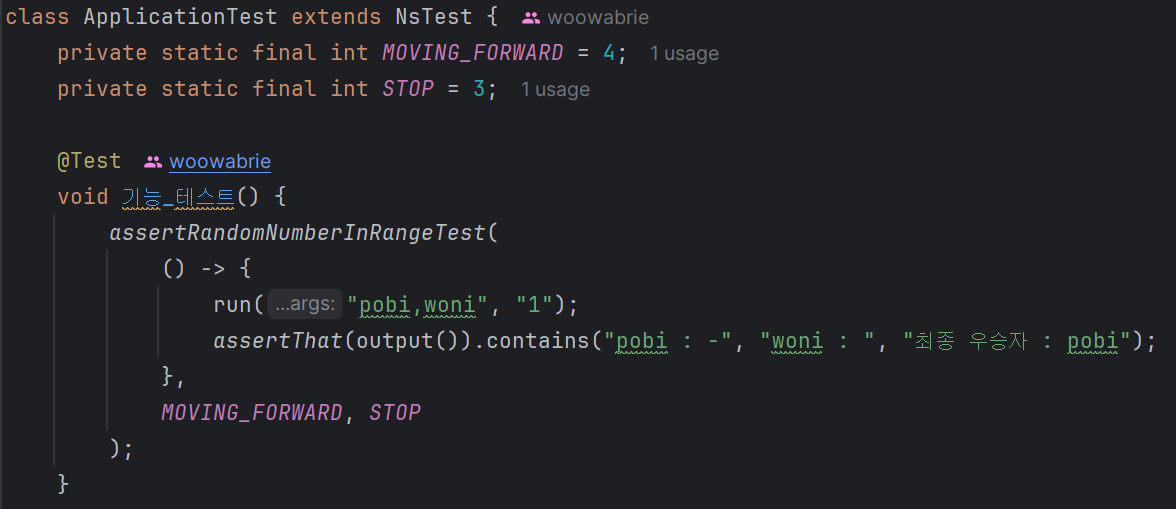
제공되는 ApplicaitionTest 코드를 확인하면 NeTest를 상속받고 있다.
NeTest를 첫 주에는 그냥 넘어갔는데 이번 주는 확인해보자.
NsTest
public abstract class NsTest {
    private PrintStream standardOut;
    private OutputStream captor;

    @BeforeEach
    protected final void init() {
        standardOut = System.out;
        captor = new ByteArrayOutputStream();
        System.setOut(new PrintStream(captor));
    }

    @AfterEach
    protected final void printOutput() {
        System.setOut(standardOut);
        System.out.println(output());
    }

    protected final String output() {
        return captor.toString().trim();
    }

    protected final void run(final String... args) {
        try {
            command(args);
            runMain();
        } finally {
            Console.close();
        }
    }

    protected final void runException(final String... args) {
        try {
            run(args);
        } catch (final NoSuchElementException ignore) {
        }
    }

    private void command(final String... args) {
        final byte[] buf = String.join("\n", args).getBytes();
        System.setIn(new ByteArrayInputStream(buf));
    }

    protected abstract void runMain();
}
전체코드는 이렇다. 위에서 부터 들어가보자.
private PrintStream standardOut;
private OutputStream captor;

@BeforeEach
protected final void init() {
    standardOut = System.out;
    captor = new ByteArrayOutputStream();
    System.setOut(new PrintStream(captor));
}

@AfterEach
protected final void printOutput() {
    System.setOut(standardOut);
    System.out.println(output());
}

protected final String output() {
    return captor.toString().trim();
}
@BeforeEach와 @AfterEach는 Junit5의 어노테이션이다. Junit5는 아래 훌륭한 글이 있어서 이 글에서 확인해주세용.
https://donghyeon.dev/junit/2021/04/11/JUnit5-%EC%99%84%EB%B2%BD-%EA%B0%80%EC%9D%B4%EB%93%9C/
JUnit5 완벽 가이드
시작하기전
donghyeon.dev
먼저 멤버 변수 부터 알아보도록 하자.
PrintStream
데이터를 바이트(byte) 스트림에 편리하게 "출력"할 수 있도록 도와주는 포장지 같은 클래스.
init() 메서드
protected final void init() {
		//콘솔 출력을 standardOut에 저장 (테스트가 끝난 후 복구하기 위해)
        standardOut = System.out;

        //ByteArrayOutputStream는 바이트 데이터를 메모리에 저장하는 통로
        captor = new ByteArrayOutputStream();

        //System.out의 목적지를 captor로 변경
        //ex.System.out.println("안녕") 입력 -> captor 변수에 "안녕" 이 바이트 형태로 쌓임.
        System.setOut(new PrintStream(captor));
    }
왜 할까?
콘솔에 출력되는 내용을 자동으로 검증하기 위해서이다!
ApplicaitionTest
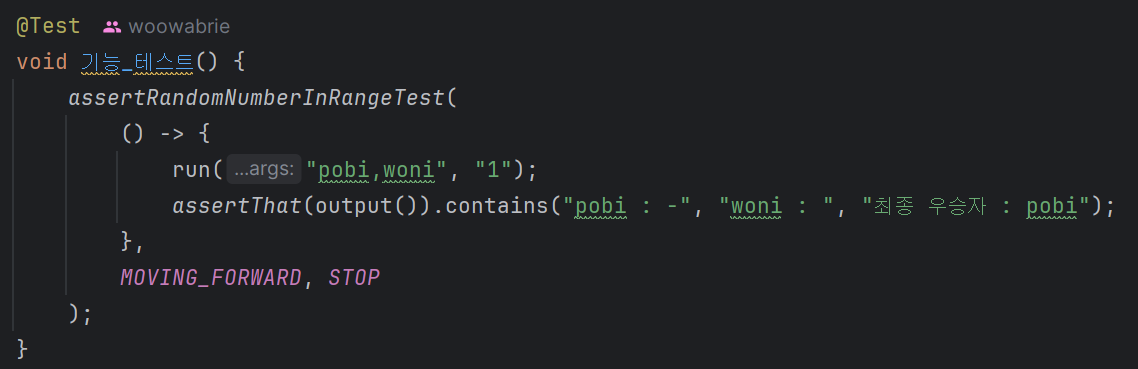
NsTest
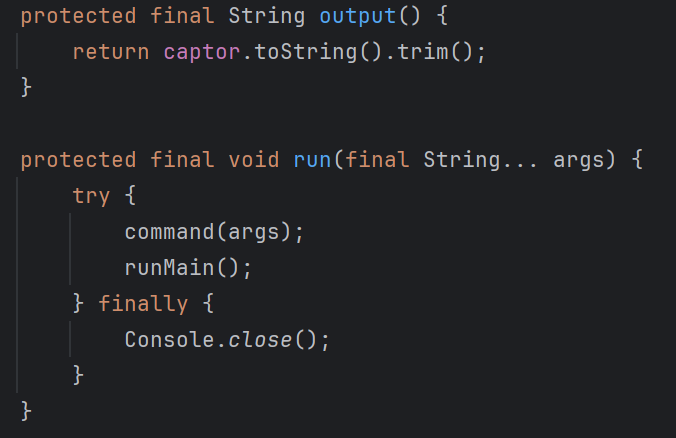
run() 메서드를 확인해보면 command(args) 가 보일 것이다. 이는
private void command(final String... args) {
    final byte[] buf = String.join("\n", args).getBytes();
    System.setIn(new ByteArrayInputStream(buf));
}
이렇게 돼있는데, 예를 들어 설명하면
"pobi,woni", "1"

-> "pobi,woni\n1" 로 줄바꿈 해서 인식
이후 바이트 배열로 변환한 다음
System.setIn(new ByteArrayInputStream(buf));이것을 통해 사용자가 직접 입력한 것과 같은 환경을 만듭니다.
이제 어떻게 실행되는지 흐름을 이야기 하면
- MyTest 객체의 run() 메서드를 찾음
- MyTest에는 run()이 없으니, 부모인 NsTest의 run() 메서드를 실행
- NsTest의 run() 메서드가 1번 command(args)를 실행
- NsTest의 run() 메서드가 2번 runMain()을 호출
- 이때! 자바는 runMain()이 자식 클래스(MyTest)에 @Override (재정의) 된 것을 확인하고, 부모의 빈칸이 아닌 자식이 채워 넣은 runMain()을 실행
- 결과적으로 Application.main(new String[]{})이 실행
- NsTest의 run() 메서드가 3번 finally의 Console.close()를 실행
이런 흐름으로 테스트가 이루어 진다.
이제 마지막
@AfterEach
protected final void printOutput() {
    System.setOut(standardOut);
    System.out.println(output());
}

protected final String output() {
    return captor.toString().trim();
}
을 보면, output()은 captor의 바이트 들을 공백을 제거한 String 형식으로 반환하고,
마지막 printOutput() 메서드의 System.setOut(standardOut);로 출력 위치를 변환시킨 후
System.out.println(output());를 통해 captor의 내용들을 콘솔로 출력하게 한다.
줄이며..
NsTest를 깊게 뜯지도 않고 얕게 뜯어보았는데 이것만 봐도 다형성이 얼마나 흥미로운지 확인 할 수 있었다!!
다음에는 JUnit5도 정리해서 올려보로록 하겠다!!
만관부~~
'우테코' 카테고리의 다른 글
| 우테코8기 최종 코테 후기 + 근황 (0) | 2026.03.14 |
|---|---|
| [우테코 프리코스] 2주차 미션 회고 (0) | 2025.10.31 |
| [우테코 8기 프리코스] 디버깅 이해하기 (0) | 2025.10.24 |
| [우테코 8기 프리코스] TDD 이해하기 (0) | 2025.10.24 |
| 우테코 8기 신청 + 1주차 프리코스 후기 및 회고 (0) | 2025.10.23 |